
Solved

30 days rotations

  • Mar 18, 2026 6:39 PM UTC
  • 3 replies
  • 496 views

Forum|alt.badge.img

We get a published rotation of people covering the next 30 days from an outside vendor so the schedule changes every month. I donโ€™t see an end date for a layer. - like starts Monday 3/16 and ends Friday 3/20. Right now the schedule just repeats ad nauseam even though we donโ€™t have the schedule for April yet. Our old paging system allowed Start On and End On dates. Does PagerDuty have that mechanism?

Best answer by xenda-amici

Hi โ€‹@cindylou.chapman,

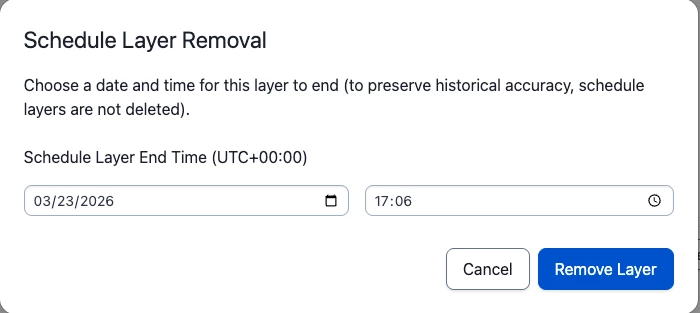
Outside of using the API, the only way to add an end date to a schedule layer is by "deleting" the layer. When you "delete" a layer, you really just set an end date for it; the UI gives you full control of the value.
ย 

ย 

Source:ย End-Date a Schedule Layer

On this base layer, you can easily create overrides for each month as you receive the schedule. Otherwise you will have to create a new layer for each new monthโ€™s schedule.

Hope that helps clarify things!
View original

3 replies

Forum|alt.badge.img
  • Author
  • New Member ๐Ÿ‘‹
  • Mar 18, 2026 7:43 PM UTC
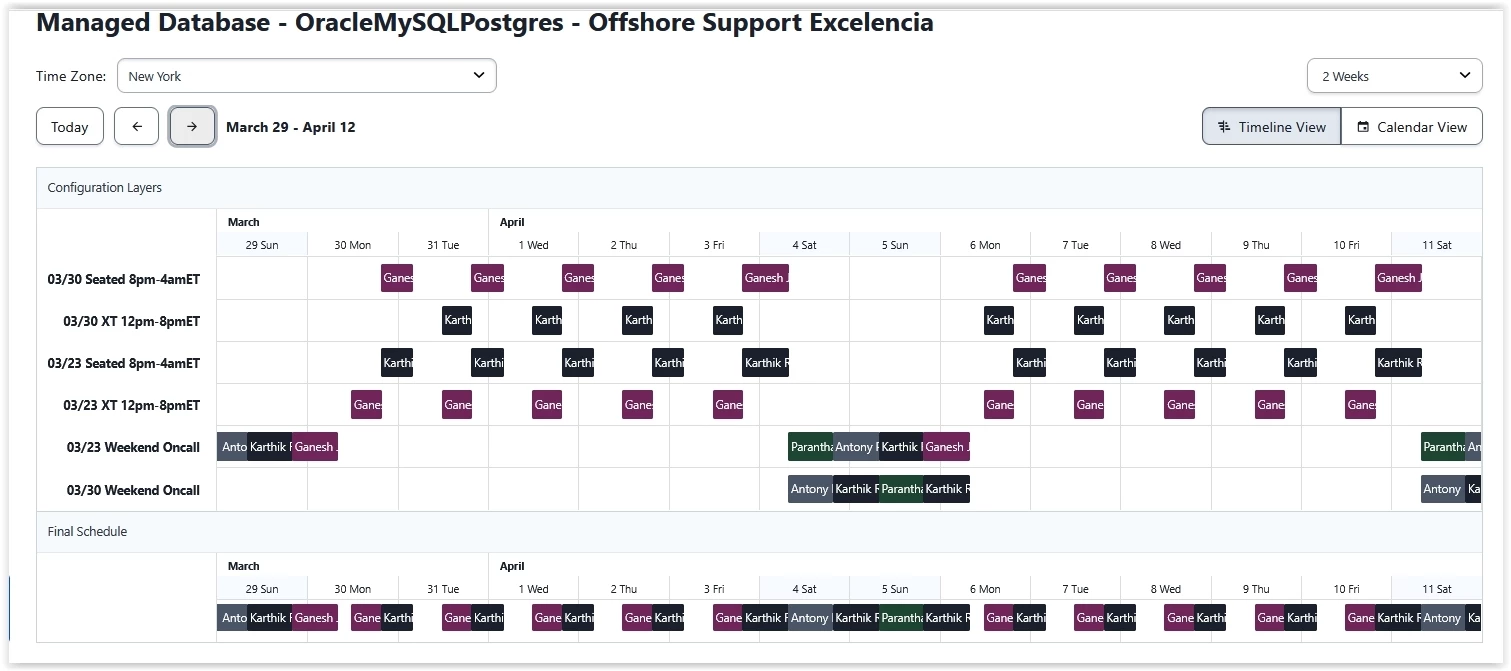
so 3/23 should continue until 3/30 schedule comes in to play - instead it blends them

ย 


Forum|alt.badge.img
  • Author
  • New Member ๐Ÿ‘‹
  • Mar 19, 2026 12:14 PM UTC

I found where I can delete a layer but I would have to schedule it for deletion right after I created it so I wonโ€™t forget. Or enter a months of oncalls at one time and remember to expire the layer when I created it.

How hard would it be to have an end date. that shift start is already there?


xenda-amici
Forum|alt.badge.img+1
  • Community Manager ๐Ÿ’š
  • Answer
  • Mar 24, 2026 1:01 PM UTC

Hi โ€‹@cindylou.chapman,

Outside of using the API, the only way to add an end date to a schedule layer is by "deleting" the layer. When you "delete" a layer, you really just set an end date for it; the UI gives you full control of the value.

ย 

ย 

Source:ย End-Date a Schedule Layer

On this base layer, you can easily create overrides for each month as you receive the schedule. Otherwise you will have to create a new layer for each new monthโ€™s schedule.

Hope that helps clarify things!