Solved

Unable to retrieve resolution note for an automated incident workflow step

  • February 3, 2026
  • 4 replies
  • 40 views

Forum|alt.badge.img

PagerDuty has an option to “Send a Webhook POST” in an incident workflow. I’m trying to set an automation incident workflow based on a specific custom incident type. My final step is to include the resolution note, but I’m not seeing a way to do this. It sounds like something any average user/customer would want to hear about (e.g. I want to know what the resolution was to the incident), but why is it not available as a field? Or does anyone have a workaround on how to capture it?

In the body of this text field, it shows a bunch of incident-related options, including “resolveReason” which to a regular human seems like it would be the same thing as “resolutionNote” but it’s not. It seems to only be used to determine whether it was a merged incident or not. 

Is anyone in the same situation? I can’t be the only one who wants to query the resolution of an incident so we can send communications around it. This seems like a severe product gap that I’m surprised hasn’t been addressed. I know PagerDuty has been trying push us toward the “stakeholder” business model to send notifications, but this isn’t practical for most companies. It might make sense for product managers or support operations staff who work alongside engineers, but non-technical senior department and business leaders are not wasting their time logging into ANOTHER platform just to see an update. They want a quick summary over email or Slack, they want to know if it impacts them, and they want to move on — they don’t need to be bothered with the details.

If there isn’t a workaround, what is the process of submitting a feature request? And how can we monitor this request to track when this feature be available? This is an important feature that will allow to be more transparent about the issues we are working on and resolving across our company.
Best answer by mwalls

For ​@jnapalan and anyone else who is running into this, Eng has offered a workaround while they investigate and fix. 

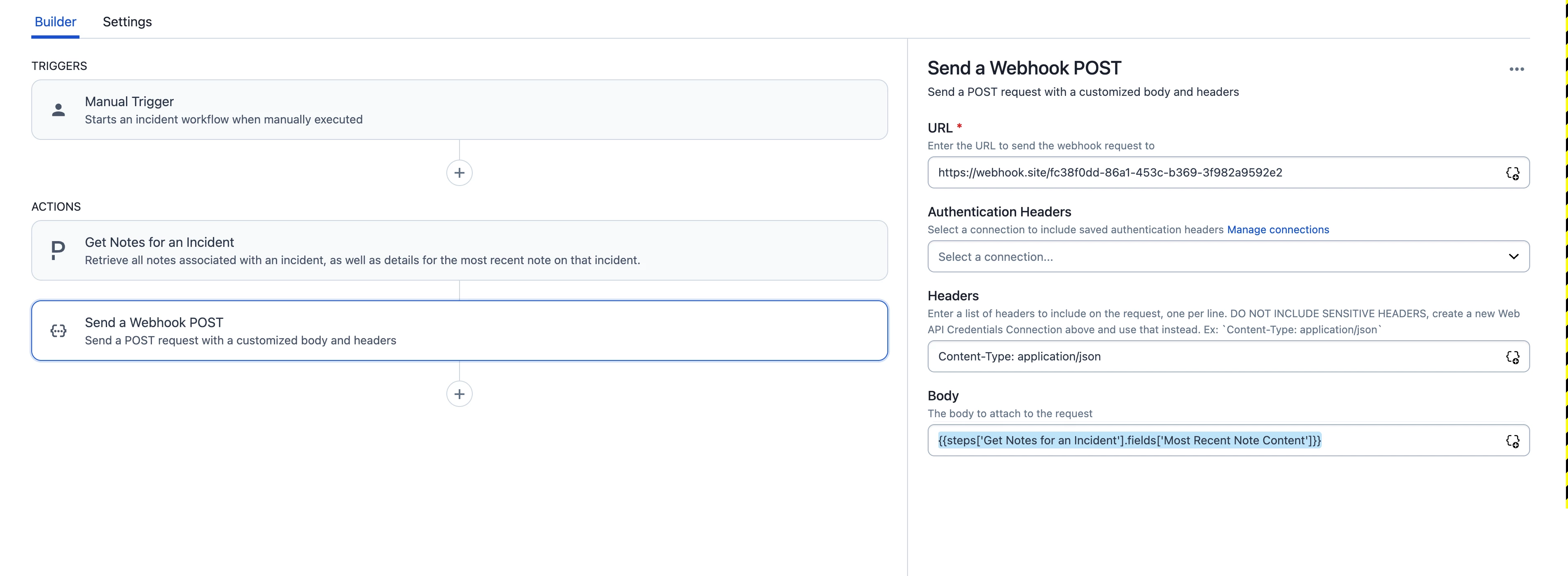
What the user could do is fetch the latest note from the incident (which should be the resolution note if no one adds a note to the incident after) and use that as the input for their webhook POST action (like in the screenshot)

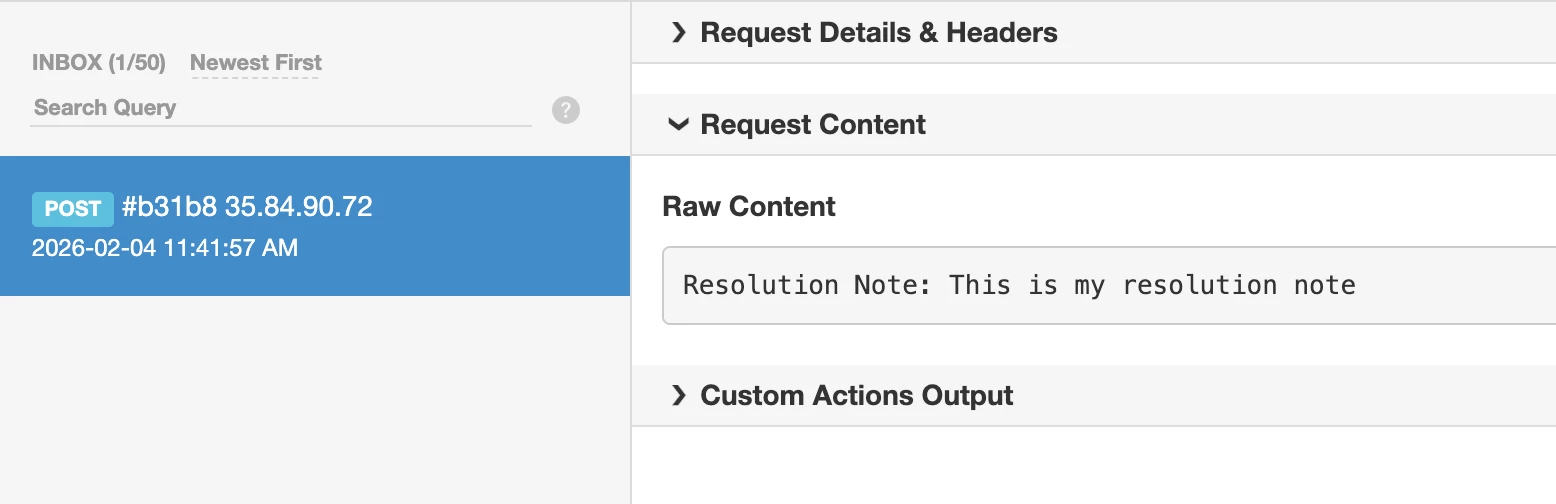
You will get this as the message:

Hopefully that will help anyone encountering this while we work on the fix!

thanks!

--mandi

4 replies

mwalls
Forum|alt.badge.img
  • Community Manager 💚
  • February 3, 2026

hi ​@jnapalan 

Good question. I’m going to pass this to engineering and see if there’s any thoughts on what’s going on there wrt the webhooks.

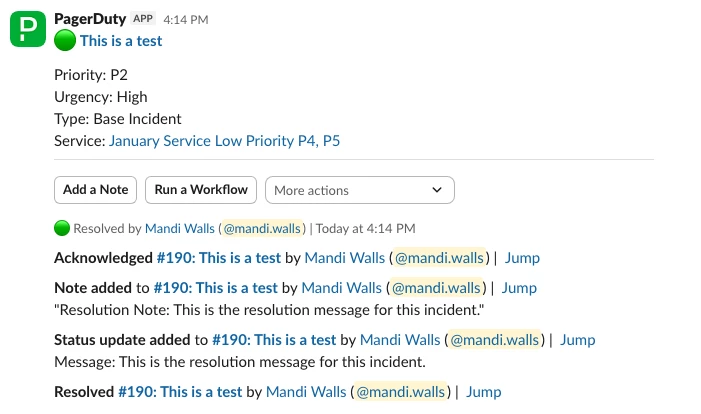
If you’re pushing status updates to a Slack channel, the resolution note will show up as a status update and a note before the Resolved message is pushed.

The resolution messages do end up being captured in a couple of places in the log_entries for an incident, and it’s findable via the API, but the log is verbose and you have to know what you’re looking for; it’s easy for the resolution message to get lost in a busy incident. 

You can pull the log_entries via /incidents/$id/log_entries. Somewhere in the JSON will be an entry with typeannotate_log_entry” and a channel.summary that begins with the string “Resolution Note:”. Not the most obvious thing to look for, for sure.

The resolution will also appear as a status_update_log_entry but there’s nothing to indicate it has a special role as the resolution, and you might have many status updates in a single incident.

I’ll see if eng has any additional context on this for you.

--mandi


mwalls
Forum|alt.badge.img
  • Community Manager 💚
  • February 4, 2026

Hi ​@jnapalan

Our engineering team took a look at this issue this morning, and are logging it as a bug. We don’t know the timeline yet for a fix, but we’ll update here when we have more info.


Thanks for reporting! 


mwalls
Forum|alt.badge.img
  • Community Manager 💚
  • Answer
  • February 4, 2026

For ​@jnapalan and anyone else who is running into this, Eng has offered a workaround while they investigate and fix. 

What the user could do is fetch the latest note from the incident (which should be the resolution note if no one adds a note to the incident after) and use that as the input for their webhook POST action (like in the screenshot)

You will get this as the message:

Hopefully that will help anyone encountering this while we work on the fix!

thanks!

--mandi


Forum|alt.badge.img
  • Author
  • New Member 👋
  • February 6, 2026

Thank you so much! Confirming that this worked for me.